By default, DiskSavvy performs disk space analysis using generic settings, which should be appropriate for
most users. In addition, power computer users are provided with a number of configuration options allowing
one to customize the disk usage analysis process for user specific needs. In order to customize the disk
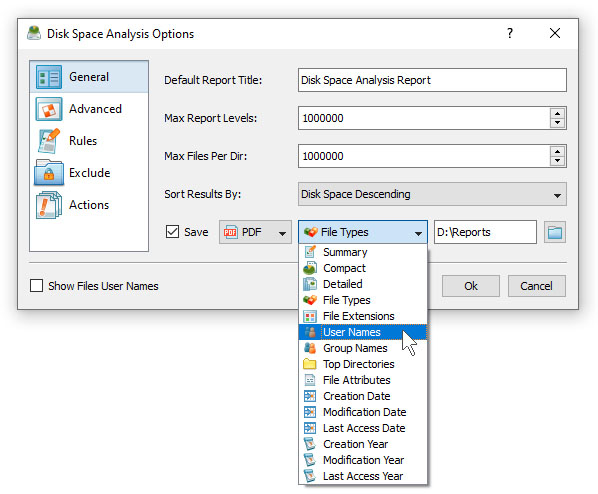
space usage analysis process, open the disk space analysis profile dialog and press the 'Options' button.

The 'General' tab allows one to control the default report title, the disk space counting mode, the results
sorting mode, the disk space analysis performance mode and the file scanning mode. The 'Rules' tab provides
the ability to define one or more file matching rules specifying which types or groups of files to analyze.
The 'Exclude' tab allows one to exclude one or more directories from the disk space analysis process.
The 'Actions' tab provides the ability to define one or more conditional disk space analysis actions
to be executed when the number of files or the used disk space in a directory rises above or drops
below user-specified limits.